01
Starting point: output scaled, trust didn't
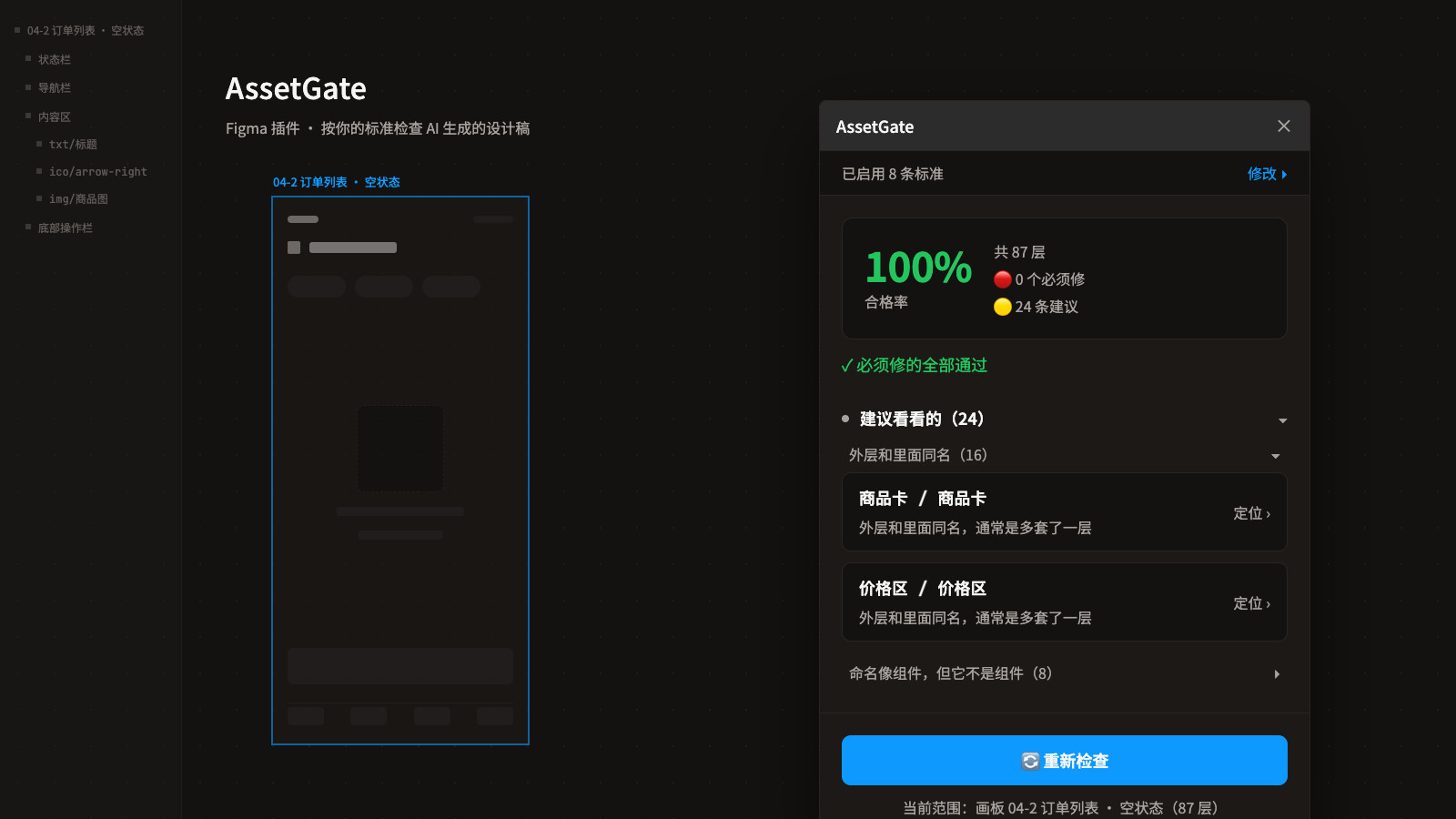
AI can turn out a dozen screens at once, but I don't dare use them as they come. From a distance they look right; up close, every layer's name, nesting and type may have been assigned at random — layers called Frame 1, Container, Text, nesting with no logic. Readable by people, useless to machines: you can't batch-export it, hand it off, or turn it into reusable assets. The problem isn't that AI is too slow — it's that I had no fast way to confirm it got things right, and opening every layer to check takes longer than drawing the screen myself. What I wanted was a second pass.
02
Positioning: a gate on the pipeline
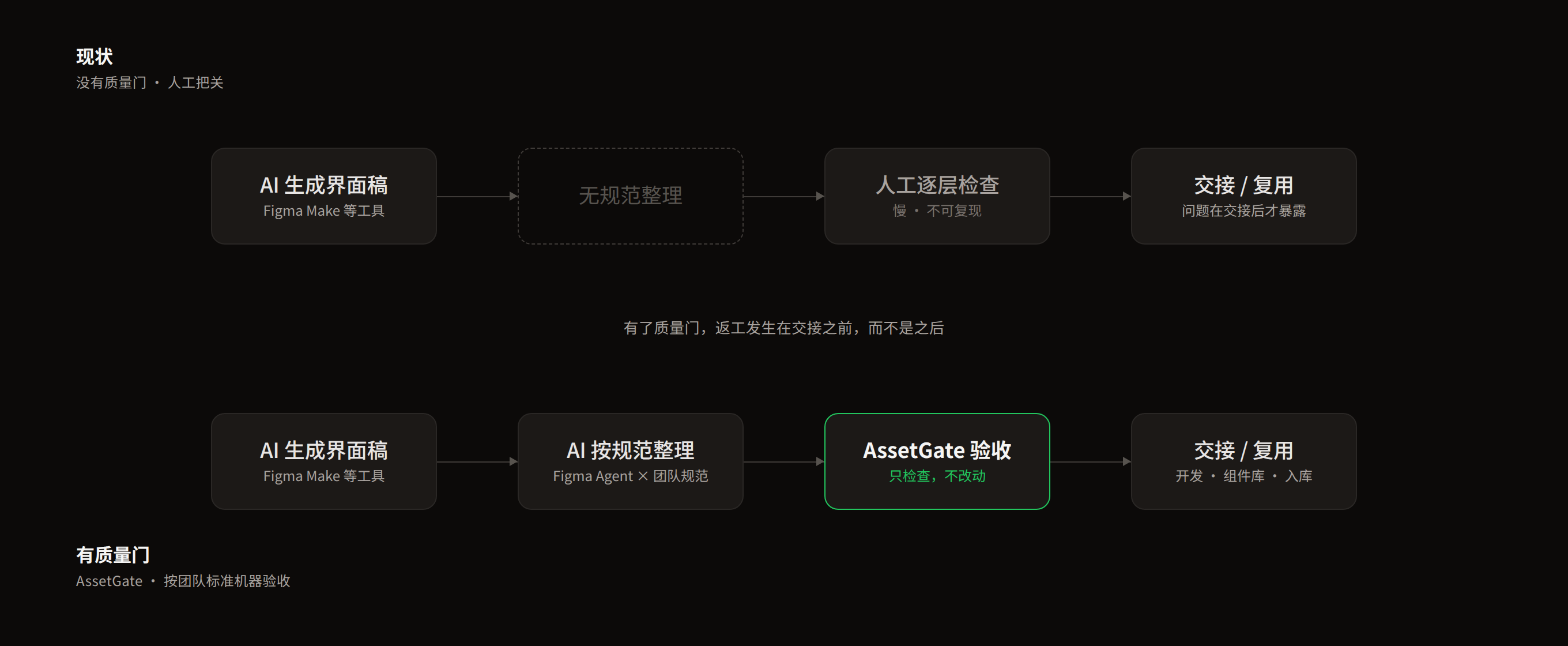
That step is missing today. Existing plugins mostly rename things or check style consistency; none answer whether a file meets the bar to be handed off — and the more you generate, the less spot-checking by hand is possible. That's the slot AssetGate fills: AI generates → AI tidies to spec → AssetGate signs off. Write the standard once, let a machine run it ten thousand times, and catch rework before hand-off.
03
Three design decisions
Trust first. Every issue shows the exact standard it violates, clicking one jumps to that layer, and the panel permanently states that it only inspects and never edits. The five things a machine cannot judge are spelled out at the top rather than pretended away. The standards belong to the user. I built the ability to define a convention and enforce it, not one particular convention. Every setting is a plain-language checkbox: no regex, no docs. Only rules a machine can judge objectively. Definite violations count toward the pass rate; heuristic ones are suggestions only. Better to under-report than misreport.

04
Tuned by use: three rounds to zero false positives
The rules weren't thought through once — they were tested out on real AI-generated files, round after round. First version: 28 findings, 19 of them false — a same-named Frame wrapping text was flagged as not a text layer, an emoji used as an icon was told to become txt/. Second version: 9 findings, all false. Third: zero. Same root cause every round: I was matching strings when the right approach was to look at what the layer actually is. Every round was the same loop: run it on a real file, find the finding that doesn't hold up, fix the rule, run again. A tool becomes usable by being ground down like this, not by being designed right the first time.
05
Two tiers: must-fix, and worth a look
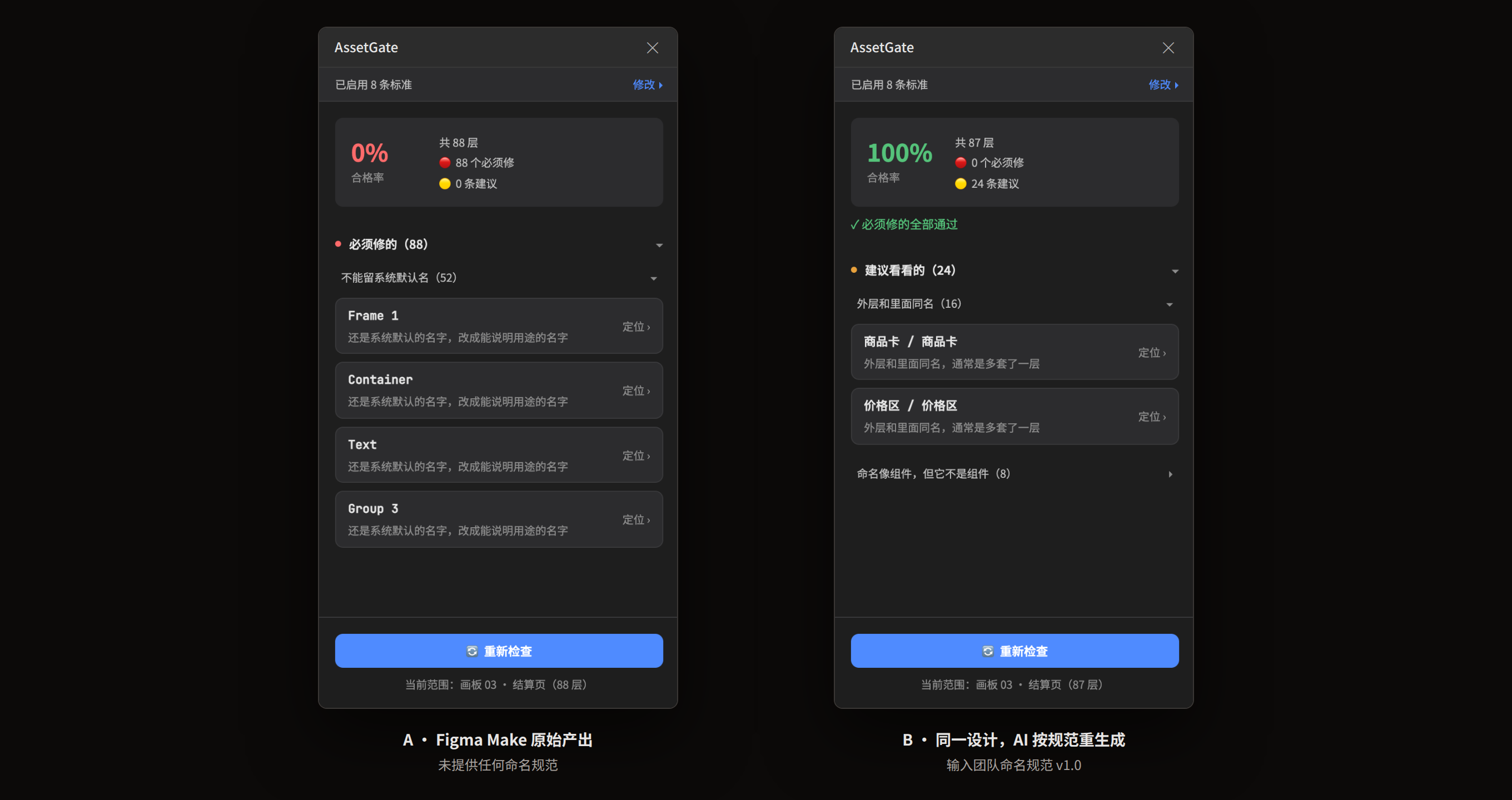
Findings come in two tiers: must-fix are objective violations and count toward the pass rate; worth a look are heuristic and don't score. On the same screen design, Figma Make's raw output gave 88 layers and 88 must-fix; handing the naming spec to the AI and regenerating gave zero must-fix — but 24 suggestions remained. AI follows the rules you write down and does nothing about the ones you don't; all 24 were things the spec never mentioned. So even at a 100% pass rate, those 24 are worth reading. A machine can judge whether something breaks a rule; it can't judge whether something would be better — handing that second question back to a person as a suggestion is more honest than forcing it into a score.
06
Reflection and next step
If I did it again, I'd move the standard upstream into generation: inject the naming and structural requirements into the prompt so the output is compliant as it's produced, with the linter as a backstop. Catching things afterwards always costs more than constraining them up front. The fuller shape is a closed loop: inject the standard at generation → tidy automatically → machine sign-off → tag compliant assets into the library. AssetGate covers only the third link today. Next is wiring in a Figma Agent so the tidying runs on its own — once the loop closes, it stops being just a plugin. That's where I think design tooling goes in the AI era: not making decisions for designers, but turning the standards designers set into something a machine can execute over and over.